

A first result from the first session
The participant receives a drawing, a report and clear observations, while you demonstrate the value of your expertise.
ArtVision · Professional training
Learn to work with a drawing and an ArtVision report in 24 hours. Lead a learning art session with feedback and add a new format, including online sessions, to your professional practice.
For psychologists, coaches, education and HR professionals


The core ArtVision programme.

Plus an ArtVision / iStelf certificate after the core course.

Art practice and AI technology in a specialist’s work.

Understand the method and learn to apply it through practice.

From a first drawing to a learning session with feedback.
For your practice
Sometimes words do not come easily. A drawing offers additional material for a conversation: notice details, compare them with the report and ask questions while retaining your professional judgement.

Artistic training is not required. We will discuss your professional experience and intended use when you enquire.
One clear sequence

Set the purpose of the meeting and agree on the boundaries.

Give an open instruction: there is no “right” or “wrong”.

Read the ArtVision result and distinguish observations from hypotheses.

Explore meaning with the person and discuss a next step.
ArtVision is an additional professional tool. Interpretation does not replace conversation, professional judgement or medical diagnosis.
Your result
A drawing and report offer another perspective on the person’s emotional experience and help find topics that are difficult to put into words.
Speed Depth
 Confidentiality
 Care
 Flexibility
The participant receives a drawing, a report and clear observations, while you demonstrate the value of your expertise.
Compare drawings and reports from different meetings, revisit observations and discuss changes together.
Lead meetings without being tied to an office, using ArtVision technology to work with drawings.
Core ArtVision course · 24 hours · in person
Programme structure: from the first line to your own art session. Seven modules, each with clear content and an outcome.
The method’s purpose, self-expression, the initial request and the facilitator’s role. Give instructions without assessing artistic ability and leave room for personal choices of line, colour and composition.
Your result
Your own drawing and a short script for opening an art session.
Colour, rhythm, density, direction and placement. Notice visible features, distinguish description from interpretation and ask questions without jumping to conclusions.
Your result
An observation map: what I see, what I assume and what I need to ask.
Structural, colour and dynamic interpretation. Consider the person’s request, explore assumptions in conversation and recognise when evidence is insufficient.
Your result
A learning case following “observation → hypothesis → question → clarification”.
Prepare and upload a drawing, supply the necessary information and read the report. Compare the service’s conclusions, your own observations and the person’s words.
Your result
A complete learning workflow in ArtVision and a set of questions about the report.
AI capabilities and limitations, confident errors and checking answers. Task context and handling information. Work with learning examples or anonymised material.
Your result
A comparison of two AI answers, unsupported claims identified and an improved prompt.
The structure of a follow-up conversation, plain language and disagreement. Individual and group scenarios, age considerations and the facilitator’s scope. Practise an online meeting: instructions, sharing the drawing and discussing the report.
Your result
A paired learning session: discuss observations, hear the response and identify a next step. A script for an in-person or online meeting.
Prepare a script, facilitate drawing, review the report and offer feedback within your competence. Present your work for assessment against course criteria.
Your result
A final portfolio: drawing, interpretation map, feedback script and facilitator reflection.
How the skill develops
Watch Pavel lead a group art session, try the process yourself and build a script for an individual or online meeting.
A demonstration, your own drawing and an initial conversation.
Observations, a report and questions using learning materials.
Paired practice and a final art session with assessment.
Your final learning session brings together a drawing, a report, a conversation and tutor feedback. You will be able to lead online art sessions and include this format in your paid services.
Method, technology and teaching practice
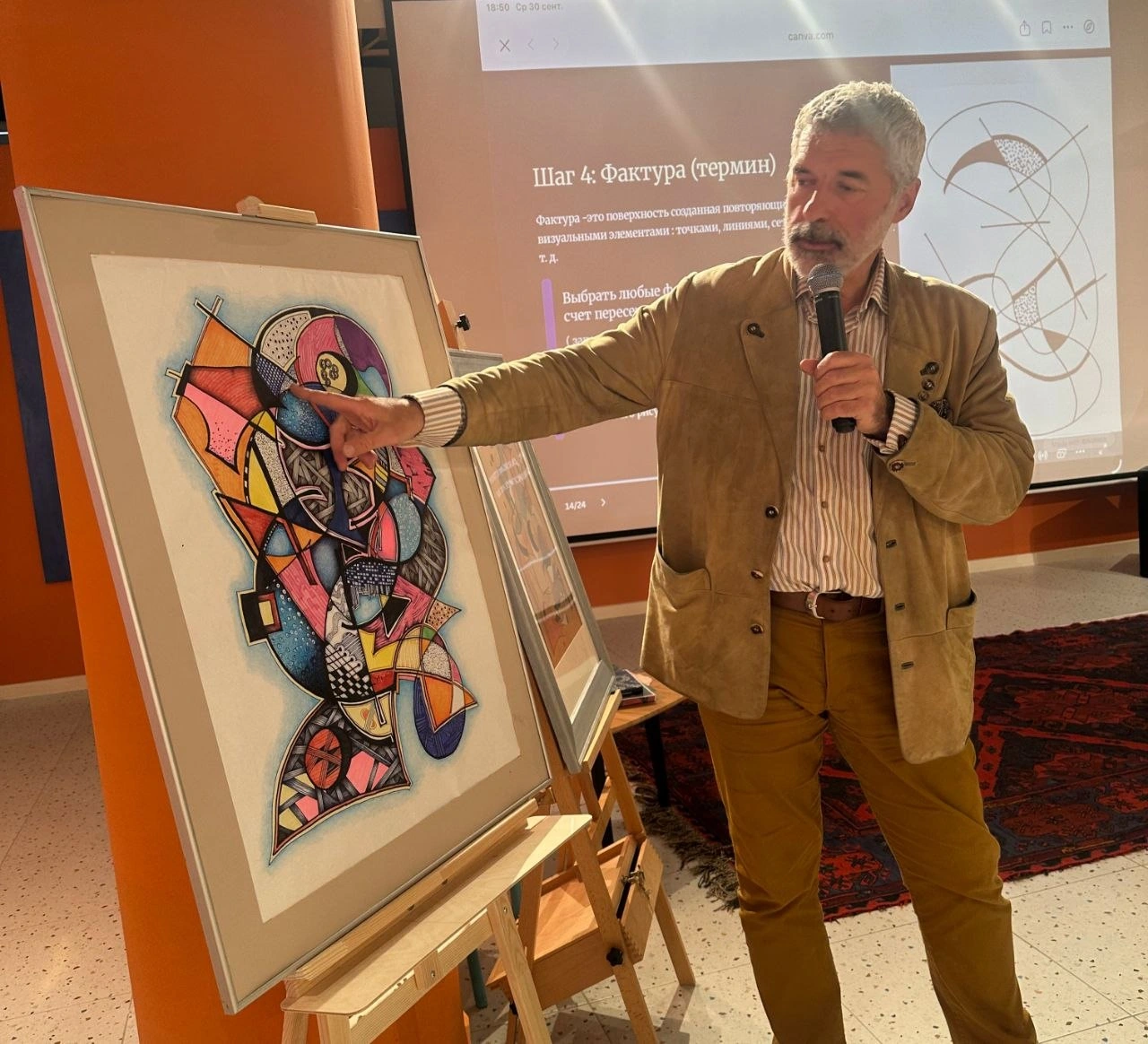
ArtVision · core course
ArtVision co-founder, artist and creator of the drawing method. He teaches drawing, interpretation and feedback, from the initial instructions to a learning art session.
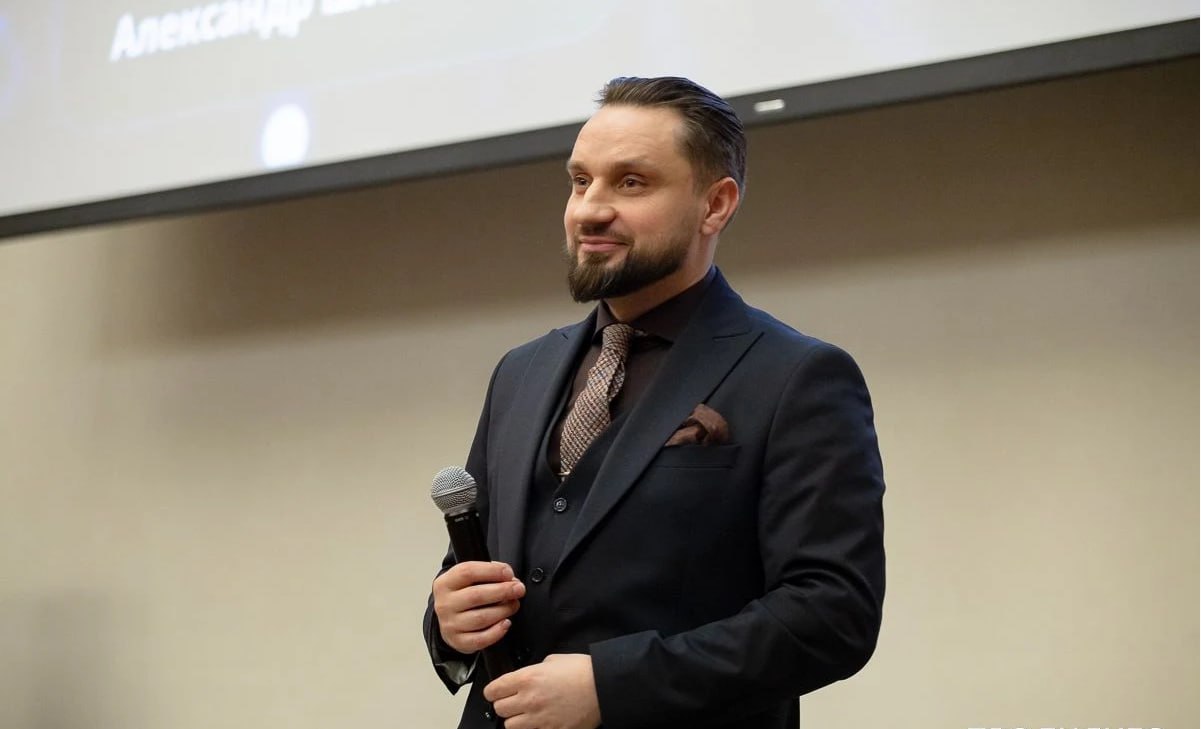
AI tools · separate module
ArtVision co-founder. He has worked with neural networks since 2022. His teaching methods are used in MPIC retraining and continuing education programmes, where state-standard credentials are issued. Here, he teaches the separate AI module for beginners.

ArtVision · course teacher
Associate Professor, Candidate of Pedagogical Sciences, BNTU. Teaches on the ArtVision specialist course.

ArtVision · course teacher
Candidate of Pedagogical Sciences, practising psychologist, Associate Professor in the Department of Pedagogy, Psychology, Subject Teaching Methods and Education Management at the Vitebsk Regional Institute for Education Development. Teaches on the ArtVision specialist course.
Separate module · 24 hours · online · optional
Less routine,
more time for people and yourself.A clear start for people aged 30+ and anyone new to AI.Start from the beginning, even if this page is your first encounter with the term.
A modern skill for work and life. Learn the foundations to use different AI services with confidence and find your way around new ones.
We help you register and set everything up. Start free with Qwen and DeepSeek. Service subscriptions are paid separately.
AI services you will try
Meet ChatGPT, Claude, Grok, and free Qwen and DeepSeek. Register together, find the basic settings and complete a simple task. Discuss when free access is enough and when a subscription may help. Use ready-made Skills, instructions and workflows from the first lesson. In the third lesson, follow a guided example to create your first website or a small application prototype.
Your result
A configured workspace and a first website or application prototype created with AI.
Say what you need, who it is for, which materials to use and how to present the result. Practise follow-up questions and save useful instructions without technical jargon.
Your result
Reusable requests for a session plan, handout and working email.
Turn a long text into a clear summary, a session plan, an exercise and a handout. Keep the source meaning and check links. Use learning or anonymised examples. Create images from a description, refine their style and choose an illustration for your material.
Your result
Your own text, image and resource for a professional task.
Prepare exercise explanations, handouts, emails and professional-page texts. Set your tone and check facts. Explore how to include a material in your service or present it as a separate offer: its audience, scope, format and price.
Your result
Drafts in your voice and a description of one offer based on your professional practice.
Choose a recurring task. Write down the steps, requirements and an example; adapt a starter instruction to your practice. Try the same instruction in different chats. Native Skills support varies by service; in an ordinary chat, use the instruction as text. Turn your professional tools and methods into step-by-step AI instructions.
Your result
Your own Skill for planning a session, reviewing text or preparing a handout, with simple usage steps.
Spot invented facts, compare the output with the source and edit it. Do not put client names, session records or other confidential information into learning chats. Anonymise examples before uploading. Set access to your creations and separate client materials from private instructions. Keep keys out of public sites and shared Skills; check that third-party instructions do not request unnecessary data.
Your result
A client version of your tool without keys or personal data, with clear access rules.
Bring requests, materials and your Skill into a working sequence. Improve your first digital project: describe changes in everyday language, test the website or application prototype and correct errors. Save instructions to repeat the result.
Your result
A personal instruction toolkit, your own Skill and a first prototype for your practice.
Your result in 24 hours
After “AI in Practice”, you will have tools that handle repeatable work: text drafts, structuring your methods, images and resource preparation.
More room to grow: respond to clients’ needs and the demands of modern work, while keeping time for people and yourself.
You have support as you explore new tools. We create and check the result together.
Simple explanations, guided examples and practice at a manageable pace, even on your first encounter with AI.
Receive Skills and workflows you can use immediately and adapt to your tasks.
Build a first website or application prototype through a guided example with tutor support.
Exchange experience, ask questions and improve your AI tools in the iStelf community.
AI in Practice
Your tools, websites and applications can become part of a service or a separate client offer. Explore how to present their value and prepare them for sale.
A tool for repeatable tasks, a website, an application prototype or a resource based on your expertise. AI helps build a working version; you check its content and behaviour.
Identify who needs your creation, what they receive and how they can use it. Choose a format: part of a consultation, follow-up support or a separate product.
Describe the scope and terms, set a price, and prepare a presentation and answers to questions. Save repeatable steps in a Skill to make future tools easier to create.
Core course outcome
After completing the core ArtVision programme and final learning session.
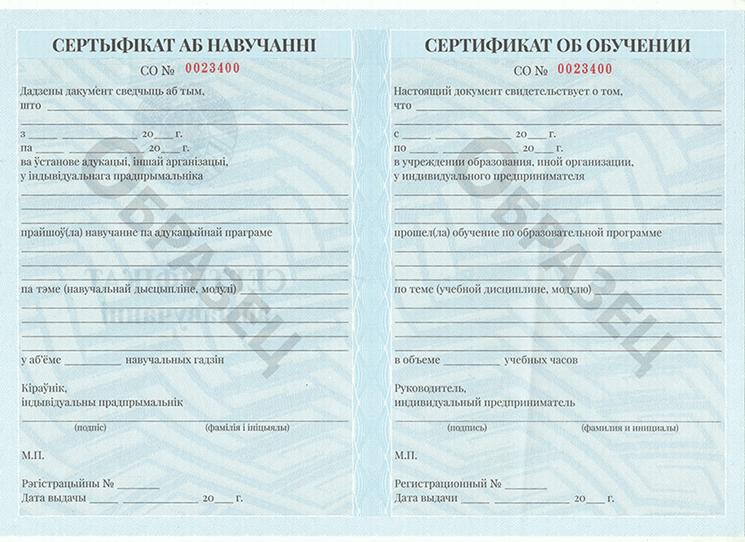
A state-standard document from LLC “Genialny Rebenok” (ООО «Гениальный ребенок»).
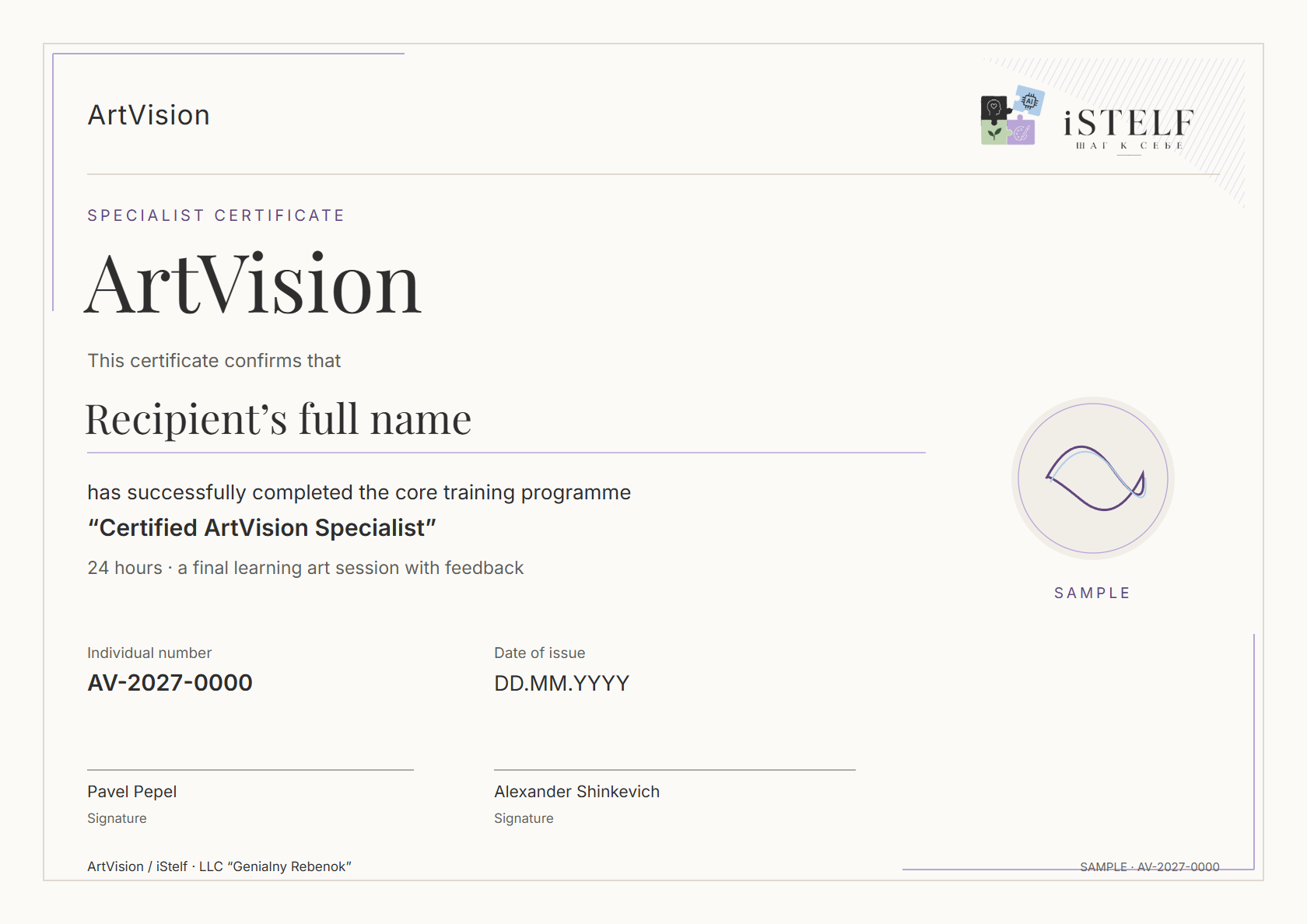
A named ArtVision / iStelf certificate with an individual number, date and signatures.
Learning and applying AI
Learning feedback · AI in Practice
«Я до этого курса вообще даже не интересовался. Я хотел, я получил, я знаю что это такое теперь.»
Да, всё что я хотел, того чего я добивался. Это моё первое знакомство, так сказать. Я, честно сказать, я не знал, что такое промпт-инжиниринг. Я до этого курса вообще даже не интересовался. Вот в Гугле видел «ИИ» и всё, что я знал про него. Я хотел, я получил, я знаю что это такое теперь. В принципе, уже даже что-то я пробую по... даже по работе. Но я думаю, дальше тут надо уже наш персонал, с которым я работаю, это их куда-то подключать, чтобы они обучались.
Learning feedback · AI in Practice
«Как только вот увидела первый результат, сразу стало гораздо легче.»
Александр, прежде всего хочу поблагодарить вас. Вы действительно, и вы, и Татьяна проявили максимум терпения к слушателям. И работать с вами было действительно очень комфортно. Отдаю себе отчет, что многие вещи для меня были ну очень новыми. Поэтому на какой-то вот стадии что ли — и материала достаточно много было — было какое-то такое сопротивление, но оно же всегда исчезает, когда появляется результат. Поэтому как только вот увидела первый результат, сразу стало гораздо легче. Понимаю, что, как сказать, цель основная какая была? Понять систему, как это работает, как это можно использовать в своей повседневной работе для автоматизации, для облегчения процесса трудового. Вот всё это понимание пришло сейчас. Я понимаю, что нужно тренироваться, нужно делать руками. И я вам больше хочу сказать, несмотря на то, что у нас на рабочем месте, ну, доступа к ChatGPT с VPN-ом нет, но мы уже с коллегами начинаем крутить те же самые промпты — то есть на китайском Qwen вот буквально пробовали. То есть видим результат — щенячья радость. Поэтому то, что касается интенсивности — ну да, интенсивно. В какой-то момент может быть несколько перегружено, но по итогу общее такое восприятие, впечатление очень хорошее. Поэтому спасибо вам большое.
Learning feedback · AI in Practice
«Мне было гораздо удобнее всё-таки делать это онлайн в силу того, что у меня комфортное для меня рабочее место.»
А, значит, касательно формата обучения. Вот предложение, которое в нашу компанию от БНТУ поступало — это либо онлайн, либо офлайн. Я долго думал и не знал, типа по какому сценарию я пойду. Ключевым фактором тут сыграло, что начало в 9 утра, а мне из Борисова добираться... ну, я бы просто не успевал. А пройдя курс, я понимаю, что мне было гораздо удобнее всё-таки делать это онлайн в силу того, что у меня комфортное для меня рабочее место с несколькими мониторами, с нормальной гарнитурой, с моими аккаунтами, что очень важно. То есть я бы не заходил в свои аккаунты, будучи там у вас по месту. Это вот что касается выбора формата обучения. Теперь немножечко про само обучение вот с моей точки зрения. Дам, наверное, критику, которая вот субъективная. Хотелось бы в процессе обучения видеть примеры «как неправильно» и «как правильно». То есть условно один и тот же запрос — вот чтобы люди понимали, что вот так вот вы пишете неправильно (то есть когда просто пообщались), и вот вам точно такой же запрос только с точки зрения правильного промптинга и вот такой вот вы получаете результат. То есть это сразу бы, ну, наверное снимало какое-то сопротивление внутреннее, что «ну чё вы мне тут парите, я же и так уже работал». И второе, тоже вот ну с точки зрения критики: мне бы хотелось немножко больше получить информации вот по тем агентам, которых мы касались. То есть тот же вот n8n — это было сильно поверхностно, ну, у меня появилось больше вопросов, которые я ну уже разберу в свободное время, но тем не менее вот хотелось бы в них погрузиться чуть-чуть побольше. Во всём остальном всё супер. Александр, ваша подача информации — ну, прекраснейшая. Я понимаю почему... Вам отдельная благодарность. Татьяна тоже молодец. Единственное что... ну опять же, я понимаю, она маркетолог. То есть она давала очень много маркетинга. То есть если бы задачи были многосторонние, было бы гораздо, мне кажется, лучше. Потому что притягивая там свои задачи к тем промптам, которые показаны с точки зрения маркетинга, было, ну, сложновато. Сложновато перестроиться, сложновато начать думать по-другому. Вот как-то так.
Learning feedback · AI in Practice
Вопросы, технические трудности и поддержка преподавателя
Learning feedback · AI in Practice
Как ИИ помогает готовить уроки и вовлекать детей
Learning feedback · AI in Practice
Пример из работы: проверка и сравнение документов
Learning feedback · AI in Practice
Структурирование учебного материала с Qwen
Experiences with AI tools, exploring expertise and Alexander’s consultations. Each card identifies its context.
О выборе обучения и нейросетях
Психолог · о выборе программы
О консультации Александра по продвижению
О промпте для распаковки экспертизы
О GPT-инструменте для распаковки
О первых днях работы с ИИ-инструментом
О распаковке с GPT-инструментом
Психолог · о работе с ИИ-инструментом
О распаковке экспертизы с GPT-ассистентом
О диалоге с ИИ-ботом
О помощнике для Дзена
Об обучении и продвижении
Об ИИ-приложениях и автоматизации
О личном опыте работы с ИИ-ассистентом
Full texts and original screenshots
Per participant · BYN
Two independent programmes, with the option to take both. The core course does not require the additional module.
Core course
24 hours · in person
590 BYN
Choose ArtVisionIndependent module
24 hours · online · from the beginning
790 BYN
Choose the moduleBoth programmes
24 + 24 hours · ArtVision in person + AI online
Separate purchases total 1,380 BYN. The bundle saves 190 BYN.
1,190 BYN
Choose both programmesiStelf | ArtVision
Every option includes learning materials, a professional community and a way to present your practice.
We clarify material and club access periods, certification requirements and listing conditions before payment. The AI module alone does not certify ArtVision practice.
iStelf | ArtVision
Meet the specialists: their practice, confirmed documents and contact details in one directory.
Before your first session
No. We work with abstract drawing. The process, personal choices and subsequent conversation matter. There is no “right” or “wrong” drawing, and artistic ability is not assessed.
Psychologists, coaches, group facilitators, education and HR professionals who wish to use drawing and ArtVision reports in their work. We will discuss your experience and intended use. The course does not replace foundational professional education or award a new professional qualification.
The professional clarifies the request, facilitates drawing and compares the report with observations and the person’s own words. Testing a hypothesis, listening to disagreement and offering feedback are distinct parts of the learning.
Prepare and lead a learning art session, then present the drawing, an interpretation map, a feedback script and your reflection. Assessment considers clear instructions, facts versus hypotheses, responses to the participant and the boundaries of your role.
Completion of the core course and final assignment provides for a state-form training certificate and an ArtVision / iStelf certificate, issued by LLC “Genialny Rebenok” (ООО «Гениальный ребенок»). The displayed form is a sample, not a document already issued for this course. Documents for the optional module are discussed separately before enrolment.
No. ArtVision is an independent 24-hour course for 590 BYN. AI in Practice is a separate 24-hour programme for 790 BYN covering everyday work for psychologists. Both programmes total 48 hours and cost 1,190 BYN together.
Yes. Start with your first login and simple requests. Together we prepare summaries, handouts, meeting plans and texts. Then save useful steps as a Skill: your repeatable instruction. No programming is required.
Basic exercises do not require a subscription: use free Qwen and DeepSeek within their available features and limits. We help set up ChatGPT, Claude or Grok and, if needed, select and purchase a subscription through available official methods. Third-party fees are not included. Native Skills support differs; the instruction text can be used in an ordinary chat.
Yes. Every option includes a personal account with lessons and recordings, so you can revisit a topic and repeat the steps at your own pace. The schedule, access period and support are agreed before payment.
The ArtVision programme includes a subscription to the ArtVision certified expert club and, after certification, a contact profile on iStelf. For AI-module participants, the club supports applying AI and improving their tools. Subscription length and listing terms are agreed before payment; the AI module alone does not certify ArtVision practice.
ArtVision is taught in person; “AI in Practice” is online. Dates, the schedule, venue, application access and learning-analysis quotas are confirmed before payment.

ArtVision · iStelf
Leave your name and phone number. Tell us your professional role and choose a programme so we can discuss the next group and participation conditions.
Sending this form does not commit you to paying for training.
In-person meetings in Minsk are available by appointment. We agree the venue, date and details of your chosen format when you contact us.
Contact the team